Desktop software · Public betaSecureCode Auditor

Find the malware hiding in your code.

Every file, every past version, every branch and pull request of a repository — read inside a sealed sandbox. Nothing from the project ever runs on your Mac, and a plain-language verdict tells you what to do next.
Version 0.1.8 · 52 MB · Apple Silicon (M1 or later) · macOS 13+

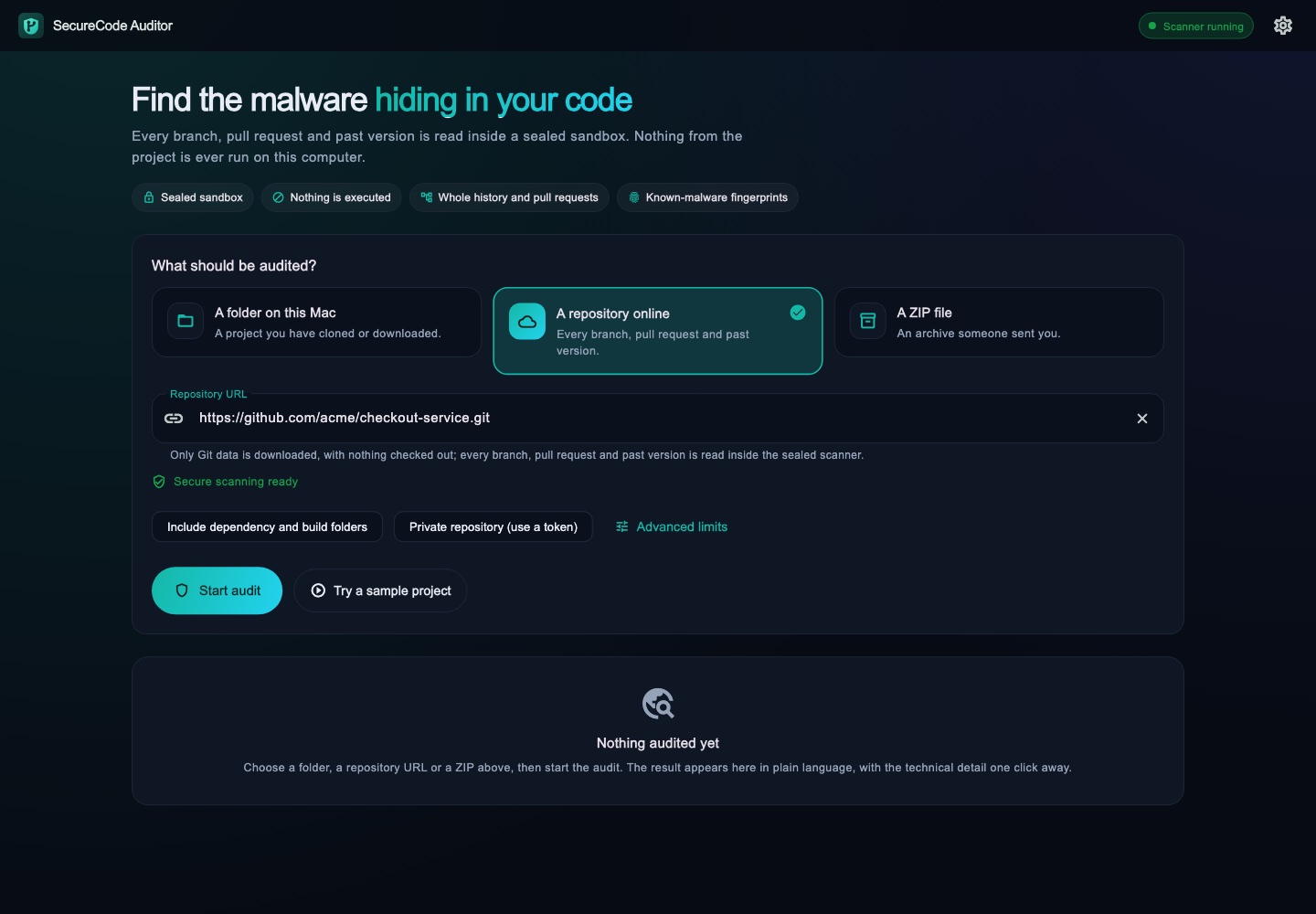
SecureCode Auditor ready to audit a folder, a repository online or a ZIP file
Sealed sandboxNo network · read-only
Nothing executedNo install, build or scripts
Whole historyBranches · tags · pull requests
Stays on your MacNo accounts · no telemetry
Why it exists

Malware doesn't wait in the file you're looking at

Recent attacks on real projects hid loaders after hundreds of blank spaces in config files, inside "fonts" that a VS Code task runs when the folder opens, and in pull requests that were never merged. Removing them from the latest files is not enough: the history still carries them, one command away. SecureCode Auditor was built while cleaning those incidents up — and now does it for you.

What it does

One app, from "is it infected?" to "it's clean"

Audit

Every version, not just today's

  • A folder, a ZIP, or a repository online
  • Every branch, tag and pull request
  • Deleted and rewritten history too
Isolation

Read inside a sealed sandbox

  • No network, read-only, no permissions
  • Works with Docker Desktop, OrbStack, Colima or Podman
  • No fallback that reads code on your Mac
Verdict

Plain language first

  • "Malicious code confirmed" only on exact evidence
  • What to do, step by step
  • Technical detail one click away
Clean-up

Remove it, not just find it

  • Deletes leftovers, backing up your work first
  • Removes malware from a repository's history without discarding it
  • Drafts the purge request for GitHub, and says what is left to do
Intelligence

Signed fingerprint updates

  • Exact fingerprints from real incidents
  • Checked daily, signed by the publisher
  • An update can add, never remove
Optional AI

A second opinion, your way

  • A model on your Mac, or your own API key
  • You see exactly what is sent first
  • The AI can raise a verdict, never lower it
Everyday use

Easy to start, easy to repeat

  • Drag a project onto the window, or try the built-in sample
  • Recent audits are kept on your Mac, and can be deleted
  • Stop a long audit; errors say what to do about them
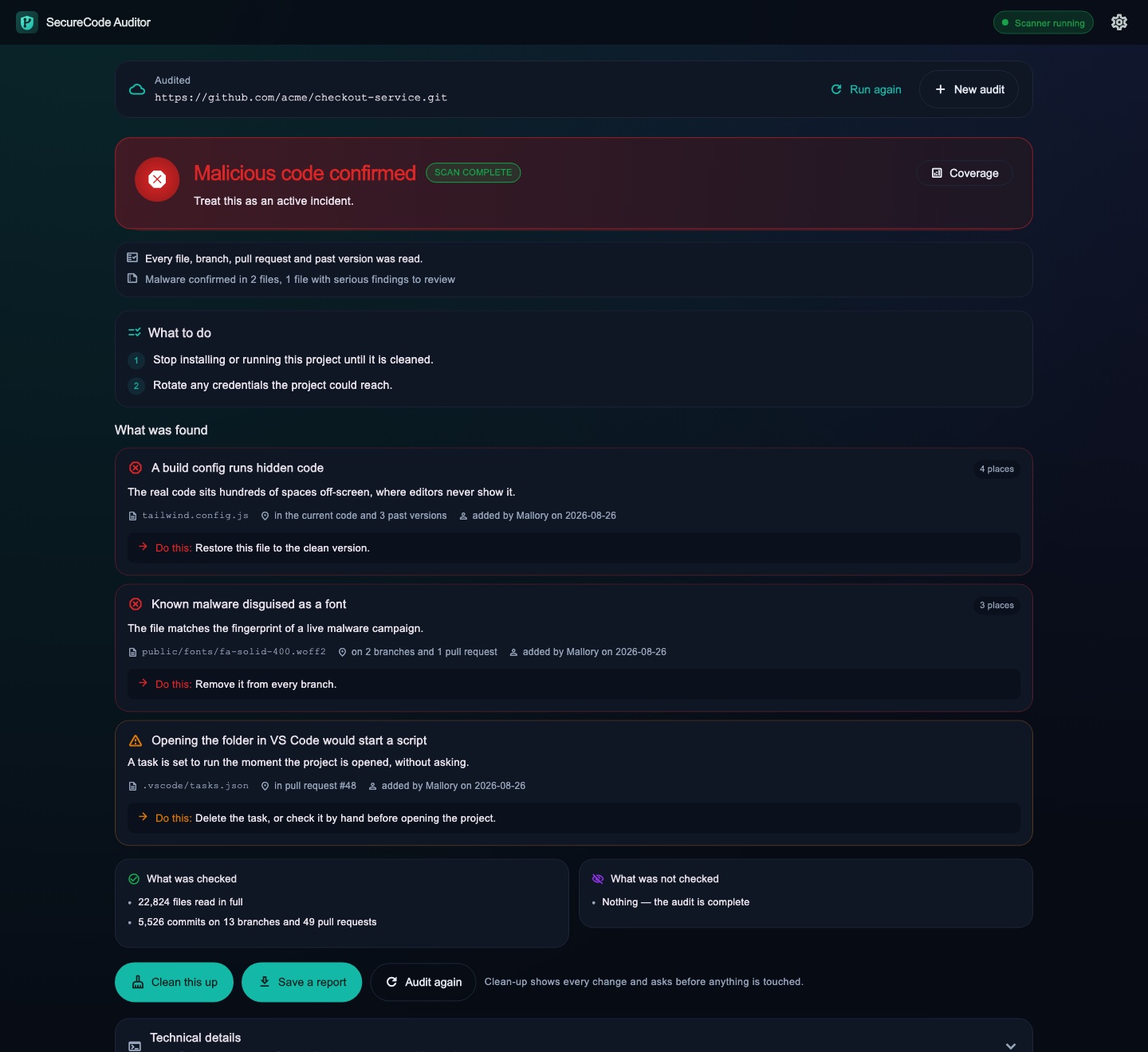
A verdict: malicious code confirmed, what to do, what was found, and buttons to clean it up or save a report
The verdict

Know in seconds what you're dealing with

The result leads with one sentence and a colour you can't misread, then what to do — stop installing it, rotate credentials — and where each problem lives: in the current code, or only in history.

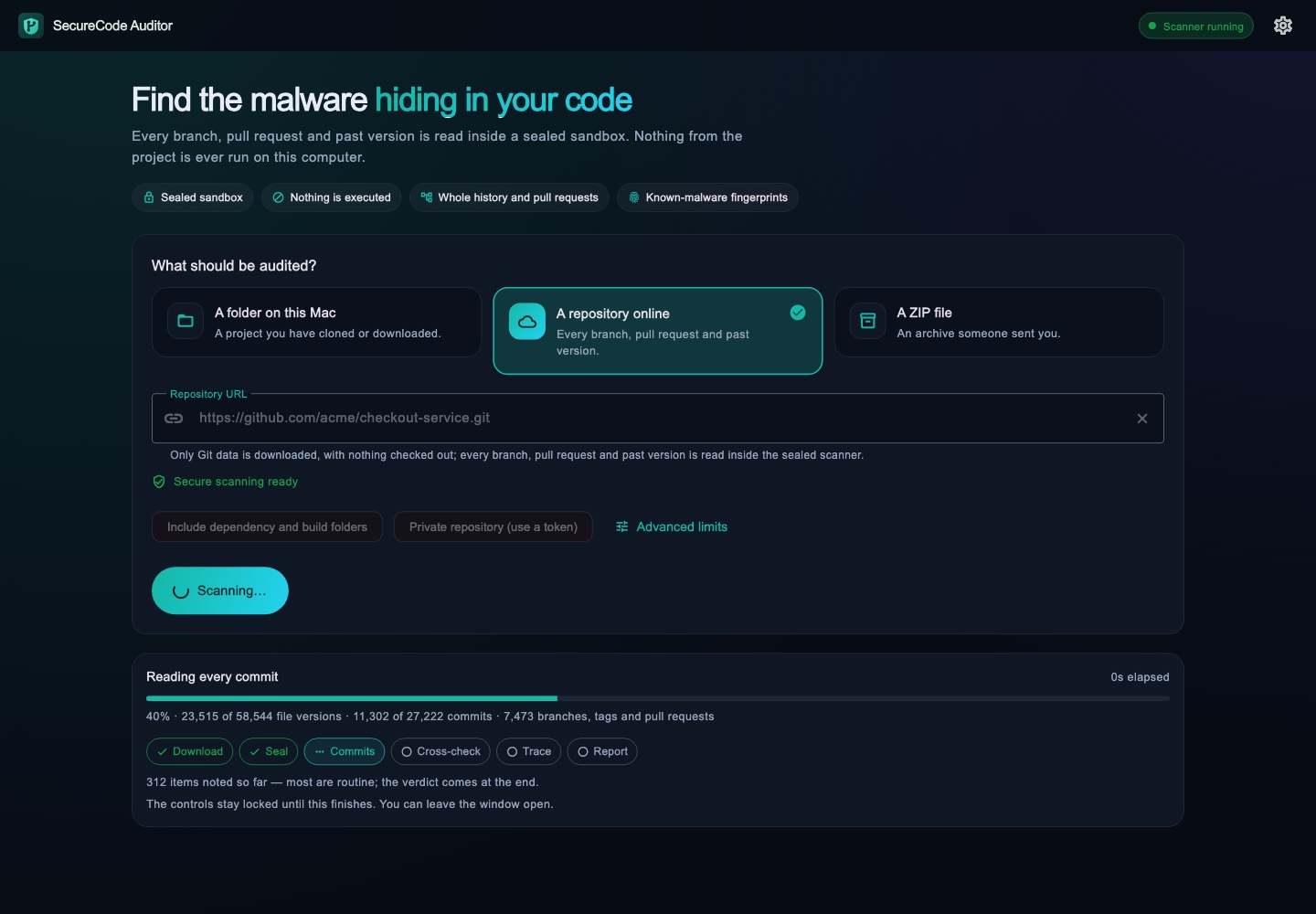
An audit in progress showing commits and file versions read so far
Built for big repositories

Tens of thousands of commits, with real progress

Audits run on every core the sandbox is given, with a real percentage, the step it's on and the time left. A repository with 27,000 commits and 7,000 pull requests takes about six minutes.

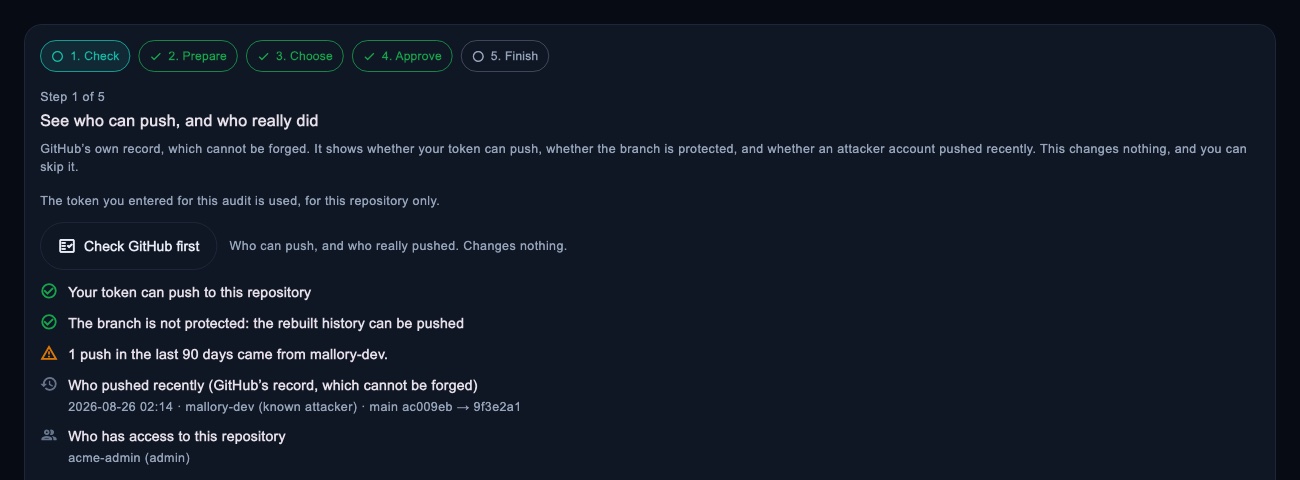
Clean-up as a walk-through: check who can push, prepare the rebuild, decide each file, approve, then ask GitHub to purge
Clean-up

From infected to verified clean

Check who can push and who really pushed, rebuild the branch as one clean commit, approve the exact commit before it's pushed, verify it from a fresh copy, and send GitHub the message that purges the old history.

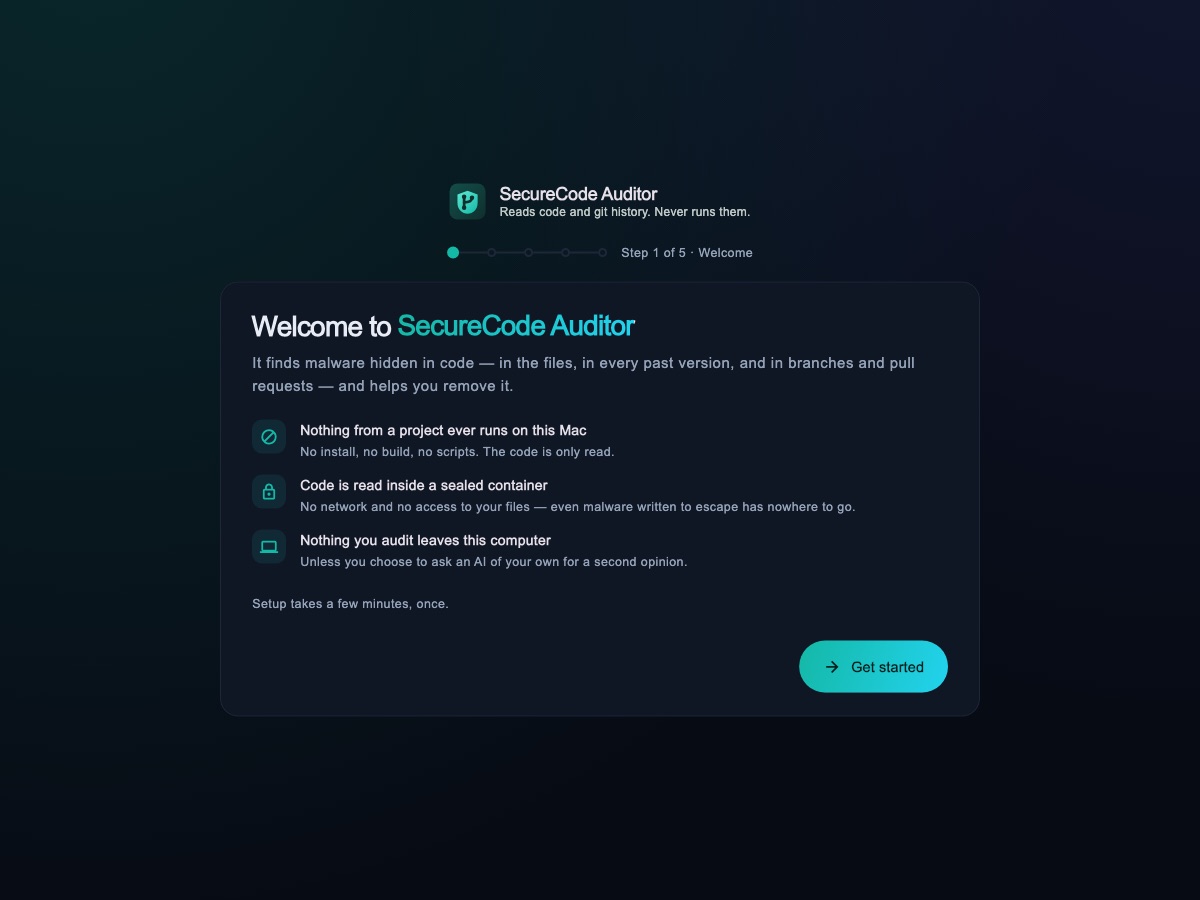
The first-run guide welcoming a new user
Ready in minutes

A guided first run

The app checks for a container app, sets up the sealed scanner from the copy it ships with — no download — and fetches the latest fingerprints. Five short steps, once.

How it works

Four steps, and your Mac never runs the code

01

Choose what to audit

A folder on your Mac, a ZIP someone sent you, or a repository's address. For private repositories, a read-only token used for that audit only.

02

It is read inside the sealed sandbox

Your Mac only moves the bytes. The code is opened in a container with no network, a read-only file system and no permissions — and nothing is checked out, installed, built or run.

03

You get a verdict you can act on

Known malware is confirmed by exact fingerprints; everything else is "needs review" with the evidence shown. Clean, well-known projects are used to keep false alarms rare.

04

Clean it up, then prove it

Remove leftovers from a copy or rebuild the history, and re-audit to confirm nothing is left.

Privacy

Your code stays on your Mac

There are no accounts, no analytics and no telemetry. Audits live in memory and are gone when you quit, unless you save a report. Repository tokens are used once and never written anywhere.

Your repository's hostOnly when you audit or clean a repository online
raw.githubusercontent.comOnce a day: signed fingerprints and the update note
api.github.comOnly when you press "Check GitHub"
The AI you connectOnly when you ask, after you see what is sent
Anything elseNothing
Download

SecureCode Auditor 0.1.8

Public beta for Macs with Apple Silicon.

MacApple Silicon (M1 or later), macOS 13 or later
Container appDocker Desktop, OrbStack, Colima or Podman
SHA-2562e991e97938f41faeaaf48b91f14af02ea9f9ac7624e4daef1ee74f851cf9e65

Opening it the first time

The app is signed but not yet notarised by Apple, so macOS asks once:

  1. Drag SecureCode Auditor onto Applications and open it. When macOS says it can't verify the app, click Done.
  2. Open System Settings → Privacy & Security, find "SecureCode Auditor was blocked" and click Open Anyway.
  3. Confirm with your password. From then on it opens like any other app.

Terminal alternative: xattr -dr com.apple.quarantine "/Applications/SecureCode Auditor.app"

Already infected?

We'll clean it up with you

Comp-sci-tech has removed this kind of malware from real repositories — every branch, pull request and developer machine — and verified the result. If you'd rather not do it alone, talk to us.

Get help with an incident →
Questions

Good to know

No. The code is read inside a sealed container on your own Mac. Nothing is uploaded to us — we don't run any server that receives your code or your results. The only optional exception is an AI you connect yourself, and the app shows you exactly what would be sent first.

The app is signed, but not yet notarised by Apple. macOS asks once for apps that aren't notarised; after you allow it in Privacy & Security it opens normally. You can check the download against the SHA-256 above.

That's the sealed sandbox: the code is opened inside a container with no network and no access to your files, so even malware written to escape has nowhere to go. There is deliberately no fallback that reads code directly on your Mac. The app ships its own sandbox image, so setup takes seconds.

Only on exact evidence — the fingerprint of a known payload, a campaign marker or a known infected file. Everything else is "needs review" with the evidence shown, never a guess dressed up as a verdict. And "nothing found" means nothing matched, not a guarantee.

No — it does a different job. Antivirus watches files on your computer; SecureCode Auditor audits source code and its whole Git history before you install, build or open a project.

Apple Silicon Macs first. Windows and Linux versions are planned.